Publish a candidate pack
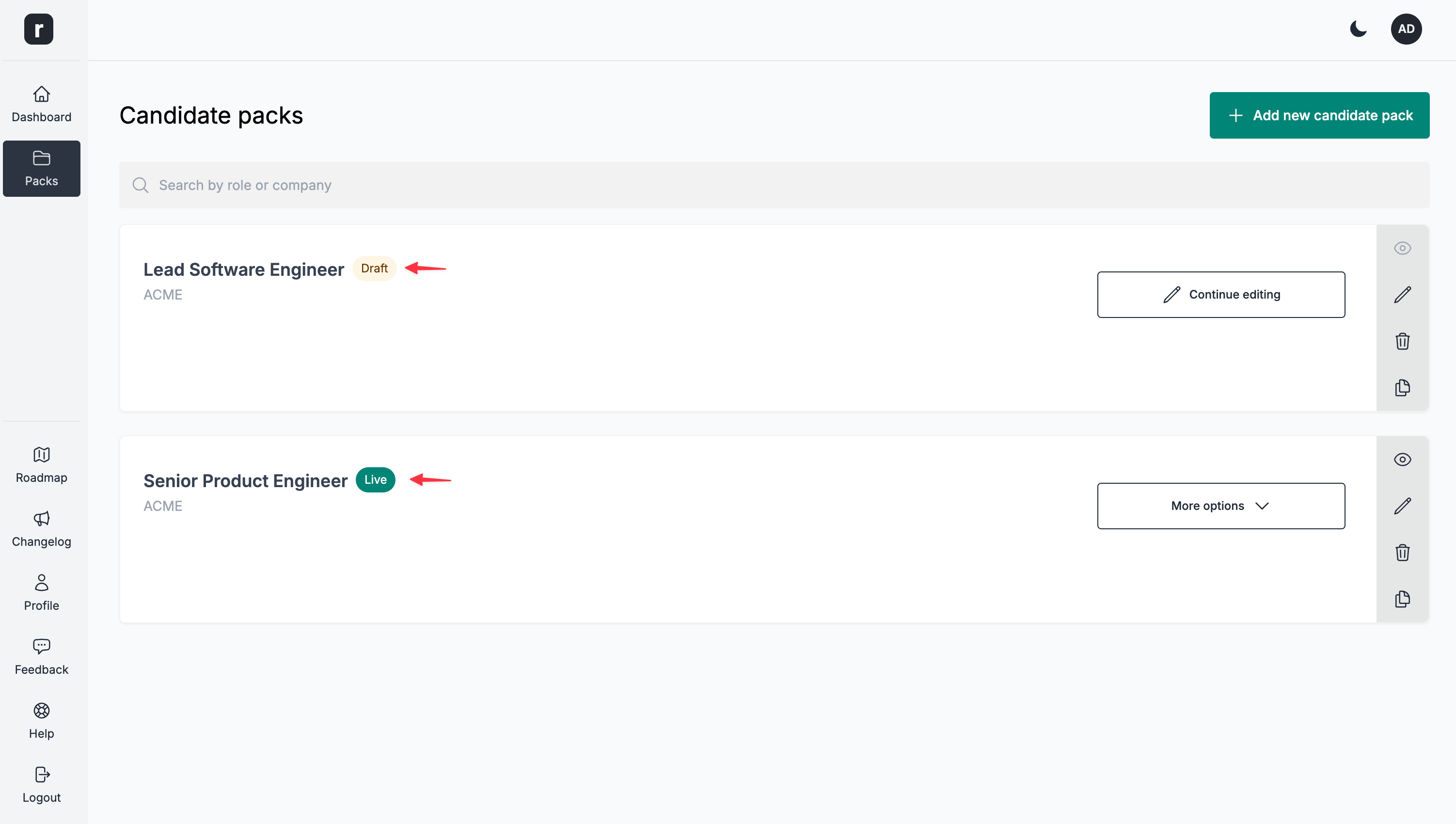
When creating a new candidate pack, by default the status is set to Draft.
A Draft status means that the pack is saved to the database, however it's not available yet for the public.
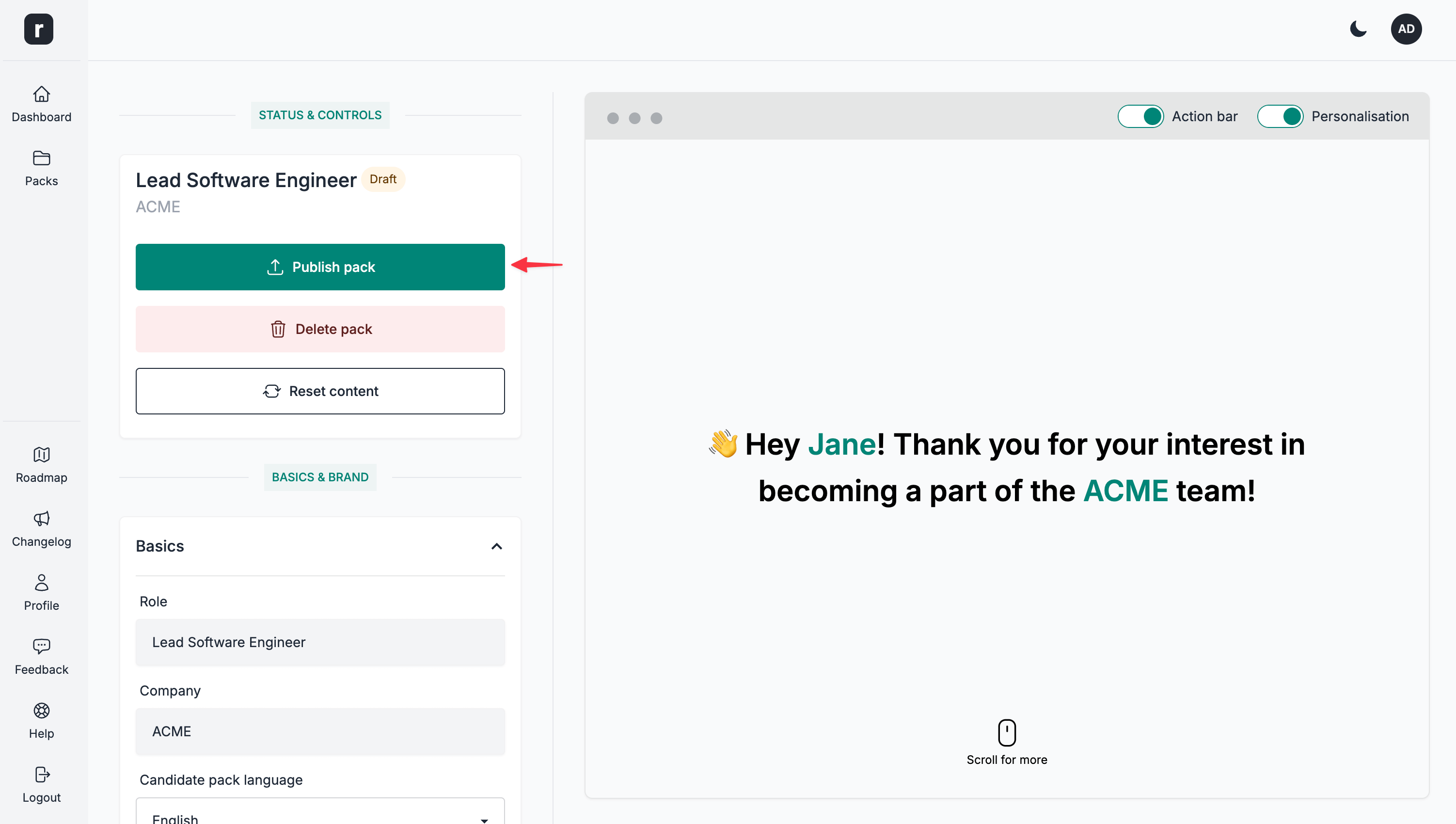
To publish a candidate pack, click the Publish pack option under the Status & Controls section.
Once a candidate pack is published, you'll see the status being updated to Live and a new Select an action dropdown appearing. A random ID is assigned when the candidate pack is created; publishing then makes the pack publicly available on a URL such as: https://role.so/packs/RANDOM_ID
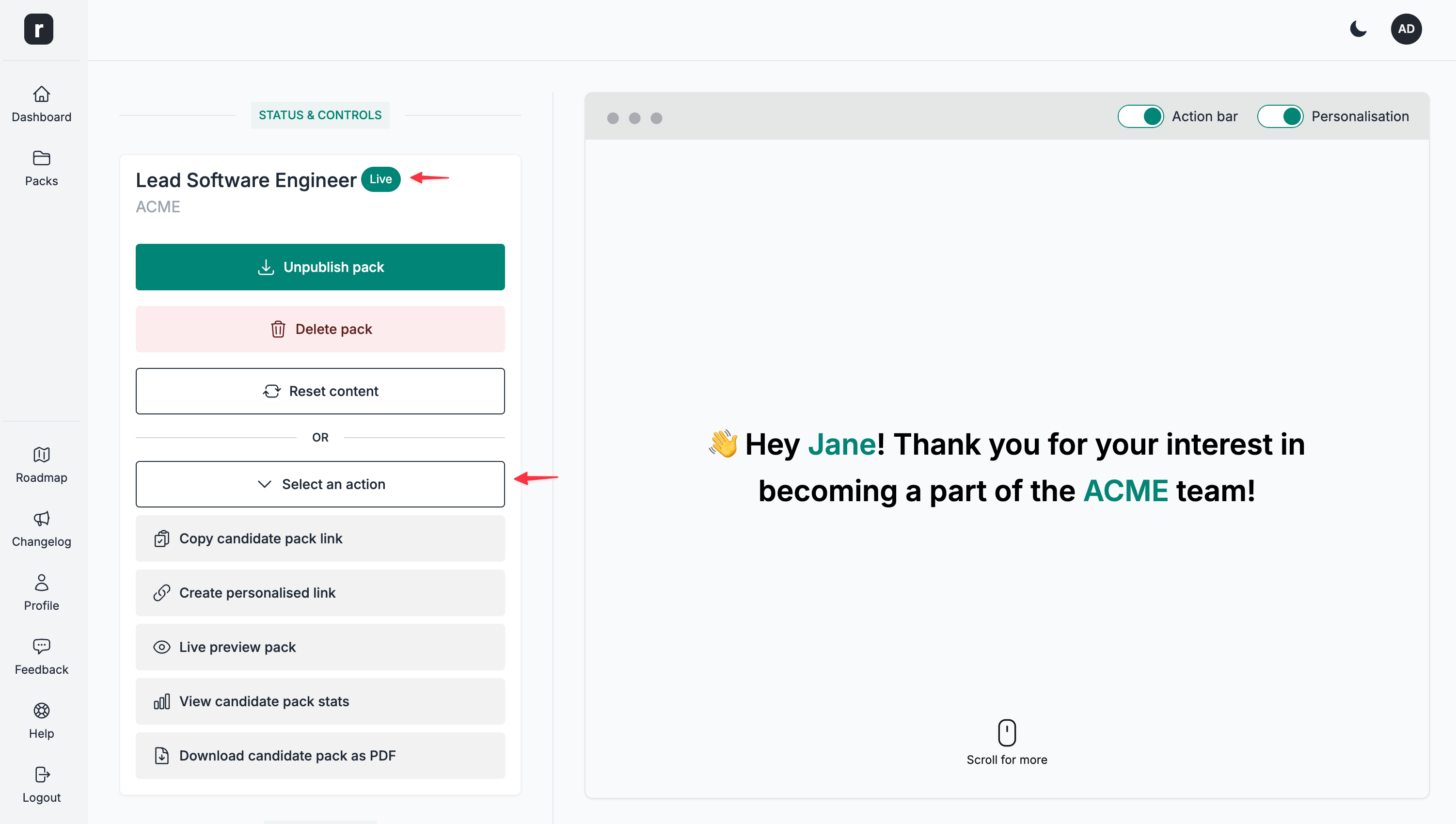
From the Select an action dropdown, you can then copy the link, visit the candidate pack public page, and take other actions.
You can check the status of all your candidate packs on the candidate packs listing page.