Delete a candidate pack
⚠️ This action cannot be undone, please proceed with caution.
Candidate packs with applicants cannot be deleted. If deletion is blocked, the modal offers View applicants and Archive pack (when available) so you can review the applicants or archive the pack instead.
To delete a candidate pack:
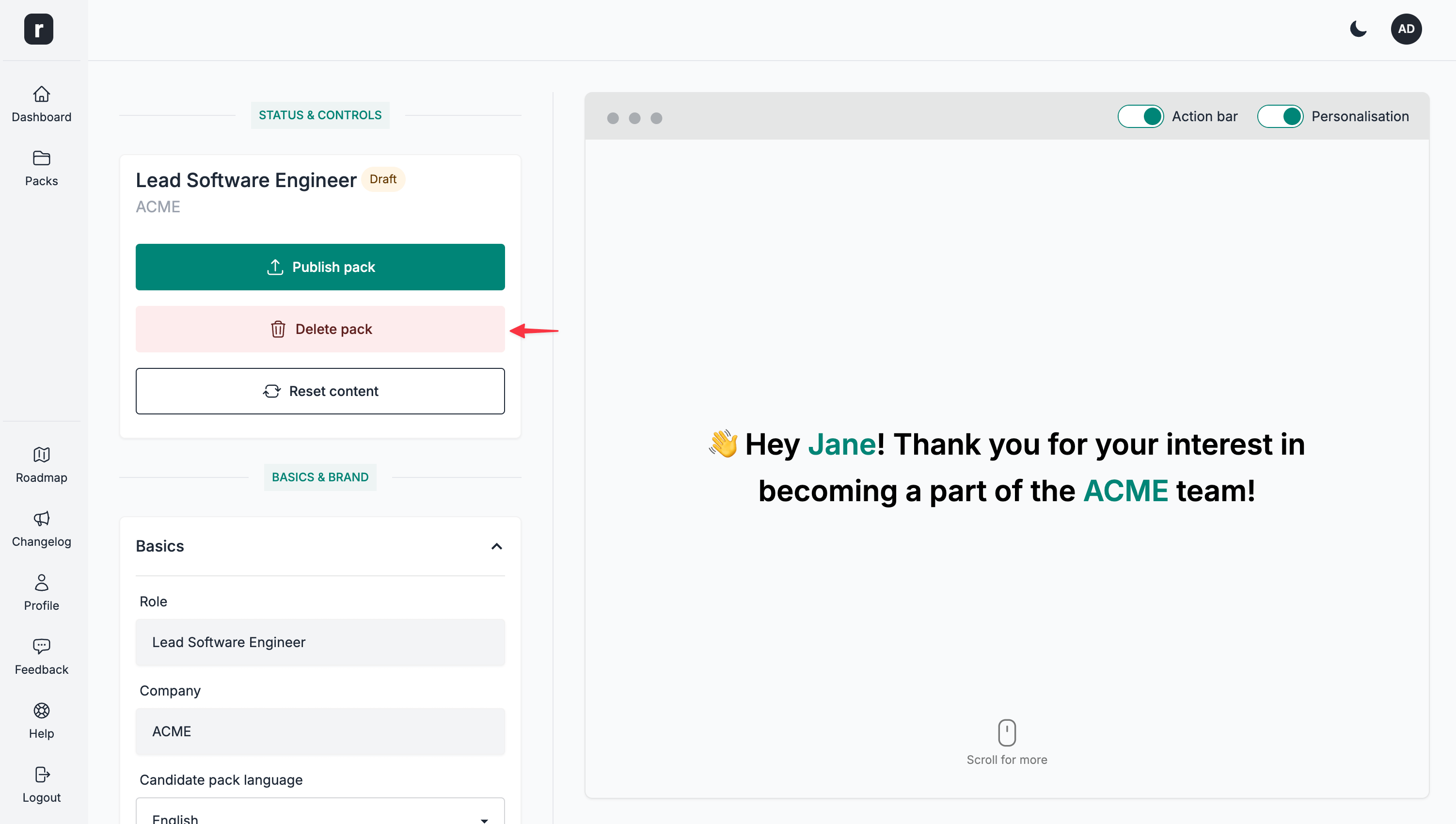
- Navigate to the candidate pack's editor page
- Click the
Delete packoption under theStatus & Controlssection
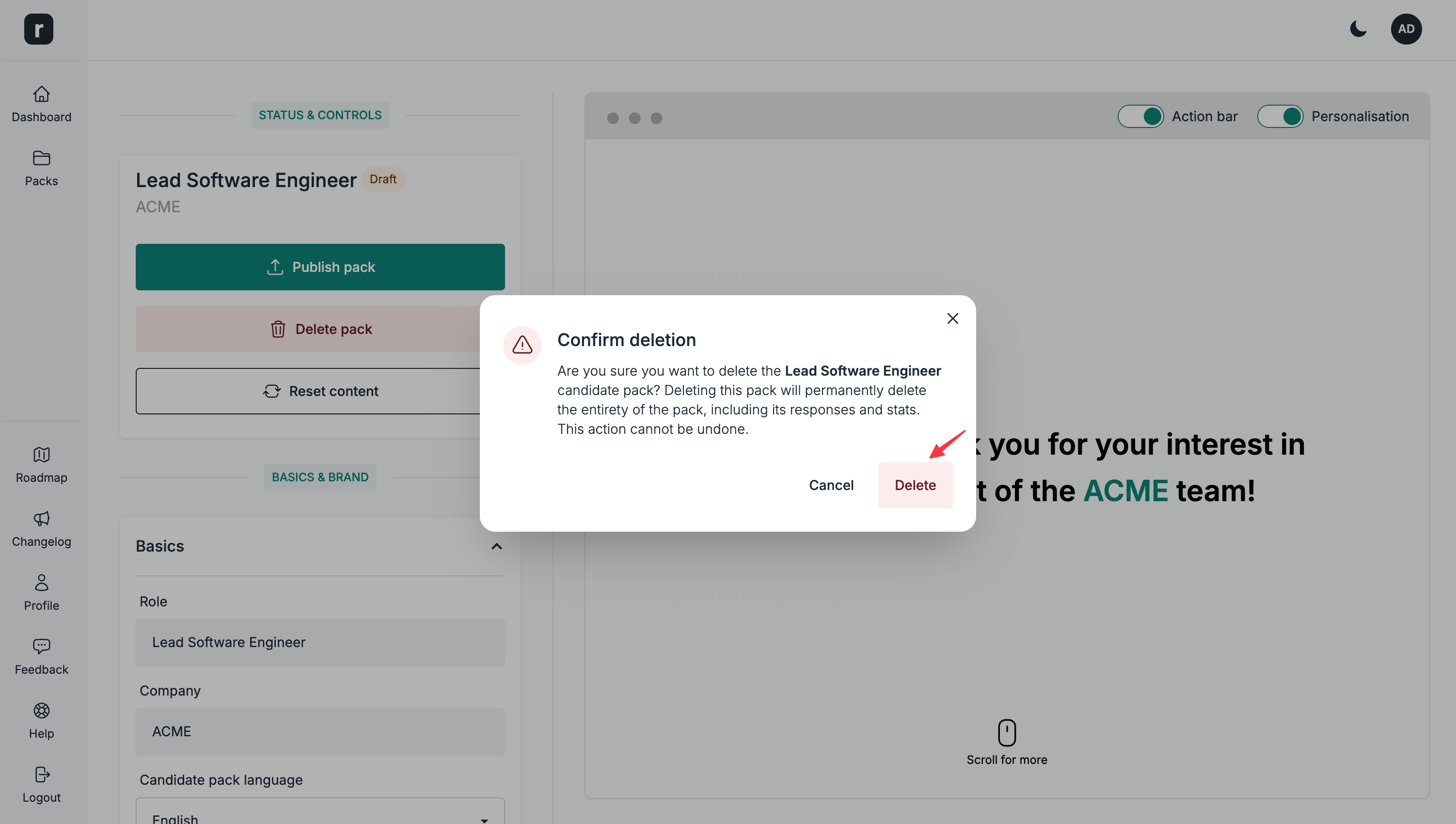
- Click the
Deleteoption on the confirmation modal. If the pack has applicants, deletion is blocked and the modal shows the alternatives instead.
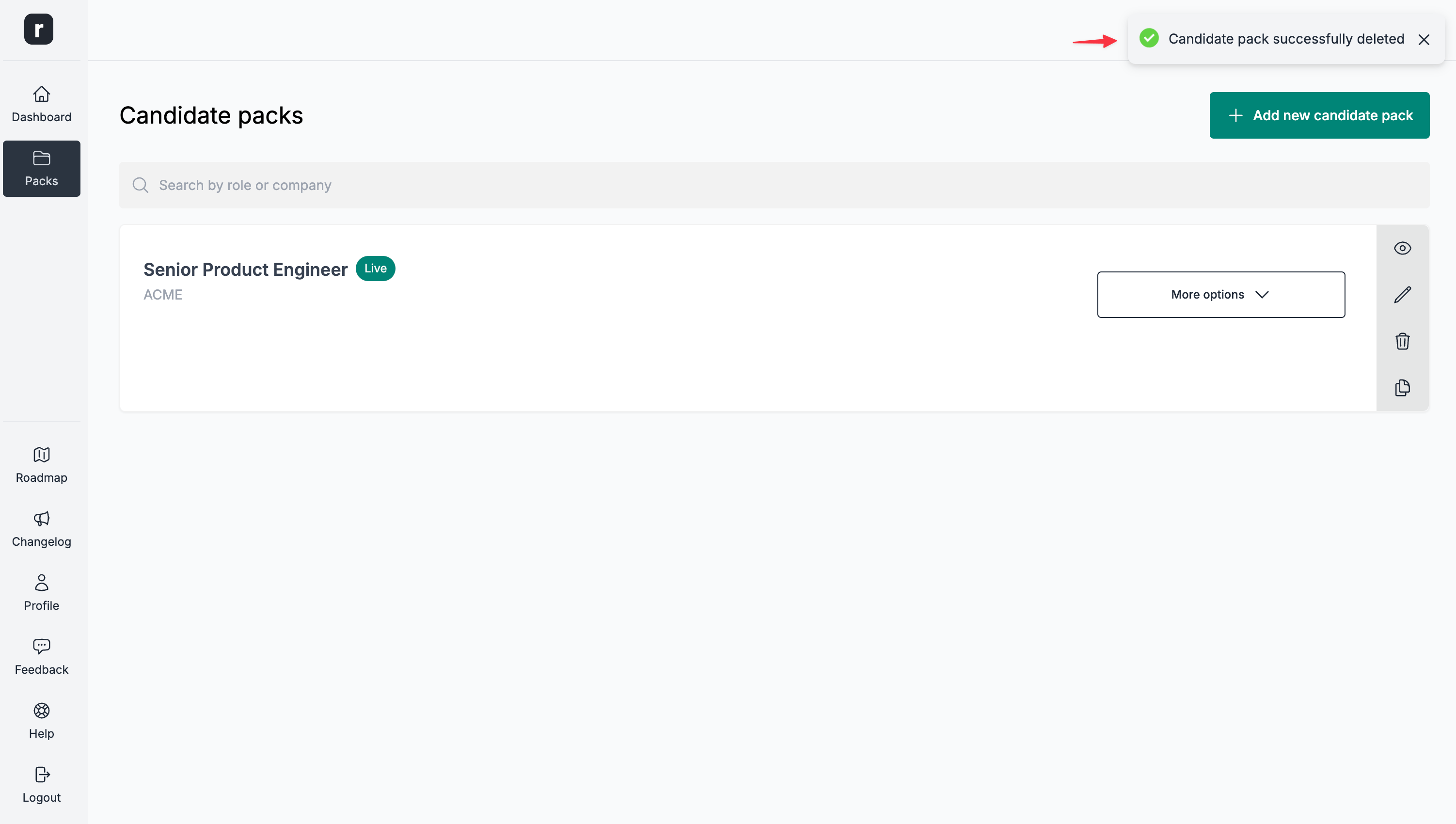
- If the pack has no applicants, it is deleted and you'll be redirected to the candidate packs listing page. If it has applicants, choose
View applicantsto review them orArchive packto keep the pack without deleting it.